Home

EV charging technology

  • Charging an Electric Car at Home: Speed, Cost, Installation, and Safety Charging an Electric Car at Home: Speed, Cost, Installation, and Safety
    Apr 14, 2026
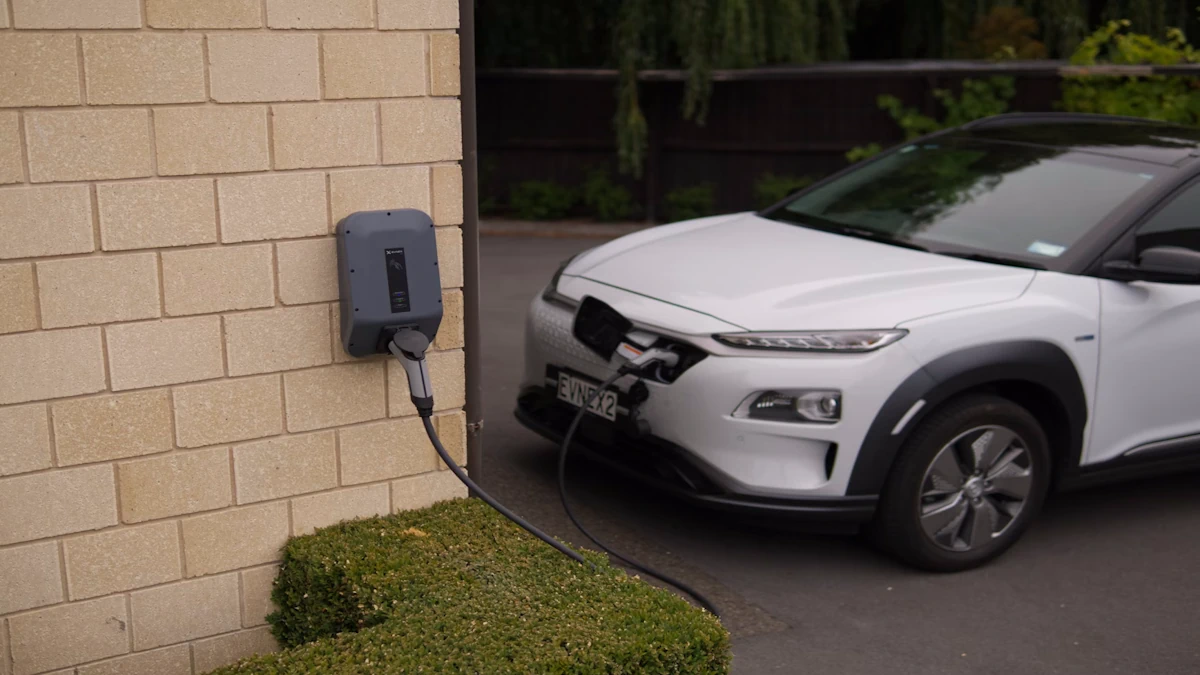
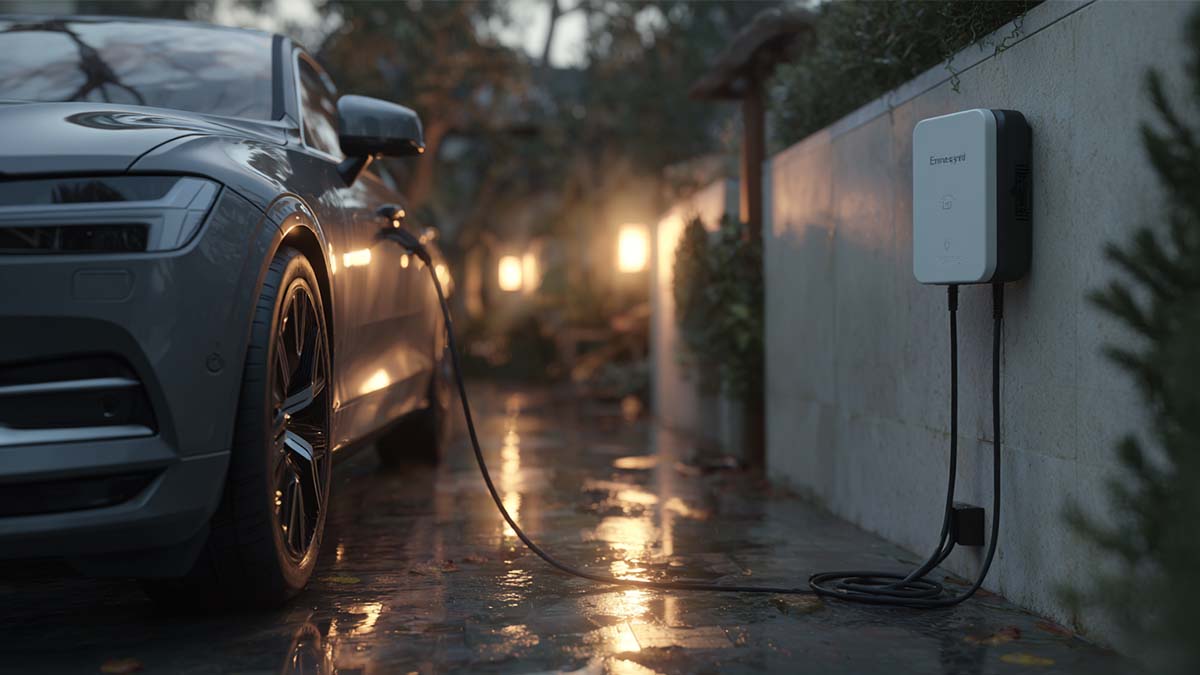
    Charging an electric car at home is straightforward for many drivers, but the best setup varies from one household to another. Some EV owners can rely on a regular outlet for light daily use, while others need a dedicated home charger to make overnight charging faster and more convenient.   The right choice depends on the vehicle, the available electrical capacity at home, the parking arrangement, and weekly driving distance. Once those factors are clear, it becomes much easier to judge charging speed, installation needs, long-term cost, and whether a home charging upgrade is worth it.     What You Need to Charge an EV at Home Home charging depends on three basics: a compatible vehicle, reliable access to power, and a practical place to park. For most EV owners, the vehicle is not the limiting factor. What matters more is whether charging can be done easily where the car is parked. A private driveway or garage usually makes home charging straightforward, while a longer distance to the power source or full outdoor use may require a more carefully planned setup. These conditions usually make it clear whether basic home charging will be enough or whether a more stable dedicated setup is the better fit.     Level 1 vs Level 2 Home Charging Home charging usually comes down to two options. Level 1 uses a standard household outlet and works best for light daily driving, longer parking hours, and households that do not need to recover much range overnight. It is the simplest way to start charging at home, but it adds range slowly and can start to feel limiting as daily mileage increases.   Level 2 uses a dedicated charger with a higher power supply. It is a better fit for drivers who want faster overnight charging, have longer commutes, or want a more consistent charging routine. It also makes more sense for larger-battery vehicles or homes with more than one EV.   Charging Type Typical Power Charging Speed Installation Need When It Makes Sense Level 1 Lower Slower Usually minimal Light daily driving and long parking hours Level 2 Higher Faster Dedicated charger usually needed Longer commutes, larger batteries, and easier overnight charging     The difference is not only speed. Level 1 is easier to access, while Level 2 is built for stronger day-to-day convenience and a more dependable routine. Once that distinction is clear, the next question is how much charging time each setup actually delivers in real use.     How Long Does Home Charging Actually Take? Actual charging time depends on five factors: battery size, charging power, the vehicle’s onboard charger, starting battery level, and temperature. That is why the same charger can produce very different results across different EVs and driving situations.   For most households, the practical question is not how long a full charge takes from empty. It is whether the car can recover the energy used during the day while parked at home. That is why home charging is often judged by overnight recovery rather than a 0 to 100 percent charging timeline.   Daily Driving Need Typical Range to Recover Regular Outlet Dedicated Home Charger Light daily use 20–30 miles / 30–50 km Around 6–10 hours Around 1–3 hours Moderate daily use 40–60 miles / 65–100 km Around 10–18 hours Around 2–5 hours Heavy daily use 80–120 miles / 130–190 km Often 20+ hours Around 4–8+ hours     These differences matter most when daily mileage is higher or charging time at home is limited. For lighter daily use, slower charging may still be enough if the car stays parked for long hours. As driving demand increases, faster home charging gives the driver a wider margin and a more predictable routine.     How to Choose the Right Home Charging Setup The right home charging setup depends on three things: how much range needs to be recovered, how much charging time is available, and how consistent the parking routine is. When daily driving is light and the car stays parked for long hours, a basic setup may be enough. When daily mileage is higher or overnight charging time is limited, a dedicated home charger usually becomes the more reliable choice.   Decision Factor Basic Home Charging Dedicated Home Charger Daily driving need Lower Higher Time available for charging Longer Shorter Parking routine Less fixed Fixed daily parking Main priority Basic charging access at home Faster and more dependable overnight recovery     The best setup is the one that matches daily driving needs, available charging time, and the way the vehicle is parked at home. Workersbee follows the same principle: home charging should be sized around real driving demand and installation conditions, not chosen only for higher power on paper.     What Your Home Needs Before Installation Before installing a home EV charger, three site conditions matter most. The first is panel capacity, which means whether the house has enough spare electrical capacity for another high-power load. The second is a dedicated circuit, because most home chargers need their own circuit instead of sharing power with other household appliances. The third is the distance between the electrical panel and the parking space, since a longer cable run usually means more wiring work and a more involved installation.   If these three basics are already in place, installation is often more straightforward. Depending on local rules, permitting and inspection may also be required before the charger can be put into regular use. This is why home charger installation is usually shaped by the house and parking layout first, not by the charger alone.     How Much Does It Cost to Charge an EV at Home? Home charging cost has three parts: the charger itself, the installation work, and the electricity used over time. The upfront cost depends mainly on the charger and the site conditions. When the parking space is close to the electrical panel and the house already has enough spare capacity, installation is usually simpler. When longer cable runs or electrical upgrades are needed, installation becomes a much larger part of the total cost.   The ongoing cost depends on how far the vehicle is driven, how efficient it is, and the local electricity rate. That is why home charging cost is not defined by the charger alone. A household with light weekly driving may see only a modest increase in electricity use, while a higher-mileage driver will usually see a more noticeable monthly cost.   Cost Part What It Includes What Usually Affects It Most Equipment Charger hardware Charger type and power level Installation Electrical work and setup Panel capacity, circuit availability, and cable run distance Ongoing electricity use Daily or monthly charging Driving mileage, vehicle efficiency, and local power rates     It helps to separate setup cost from ongoing electricity cost. One is paid upfront to make home charging possible, while the other depends on how the vehicle is used over time.     How to Reduce Long-Term Charging Cost Keeping home charging cost under control starts with choosing a setup that matches actual driving needs. If daily mileage is low and overnight charging time is enough, a lower-power, lower-cost charger is usually the better choice. In many homes, the simplest way to control cost is to avoid paying for charging capacity that is not really needed.   The second step is to reduce electricity cost over time. In areas where electricity rates change by time of day, charging during lower-rate hours can make a clear difference. This is why scheduled charging matters. It helps move regular charging into cheaper periods instead of starting as soon as the vehicle is plugged in.     Is Home Charging Safe? Home charging safety has two sides: household electrical safety and battery-use safety.   The first is household electrical safety. A home charging setup is safer when the charger, circuit, and installation are all suited to regular EV use. Most safety problems start when charging depends on the wrong outlet, a shared heavy-load circuit, damaged cables, or temporary fixes that were never meant for repeated charging. The practical way to reduce risk is simple: use equipment intended for EV charging, make sure the electrical support matches the charger, and avoid improvised setups.   The second is battery-use safety. For most drivers, battery safety depends more on charging habits than on the fact that charging happens at home. Keeping the battery out of extreme heat when possible and avoiding long periods at very high or very low charge levels help reduce stress over time. In everyday use, regular home AC charging is usually a steadier routine than frequent high-power charging.   Safe home charging depends on a sound electrical setup for the house and sensible charging habits for the battery.     FAQ Can I charge an EV from a regular household outlet? Yes, in many cases. A regular outlet may be enough for light daily driving and long parking hours, but charging is usually much slower than with a dedicated home charger. For drivers who need to recover more range overnight, it may become limiting.   Is a Level 2 charger worth it for home use? It depends on daily driving demand and available charging time. If the car is driven farther each day or needs to recover more range overnight, a Level 2 charger is usually worth it. If daily mileage is low and the car stays parked for long hours, a simpler setup may still be enough.   Do I need a dedicated circuit for a home EV charger? In most cases, yes. A dedicated home charger is usually installed on its own circuit so it does not share power with other heavy household loads. This supports regular charging more safely and more consistently.   Will home charging increase my electricity bill a lot? It will increase electricity use, but the size of that increase depends mainly on how far the vehicle is driven, how efficient it is, and when charging happens. For many households, the monthly cost remains manageable, especially when charging is moved into lower-rate hours.   Can I charge an EV outdoors at home? Yes, outdoor home charging is possible, but the setup needs to be suitable for that environment. The charger location, cable handling, and overall installation should all be appropriate for regular outdoor use.   Is daily home charging bad for the battery? Not by itself. For most drivers, battery condition depends more on charging habits and temperature than on the fact that charging happens at home. In normal use, regular home AC charging is usually a steady and practical routine.
    Read More
  • How Portable Charging Helps Commercial Fleets Reduce Range-Related Risk How Portable Charging Helps Commercial Fleets Reduce Range-Related Risk
    Mar 26, 2026
    Range anxiety does not mean the same thing in a commercial fleet as it does for a private EV driver. In fleet operations, it is less about personal comfort and more about route confidence, vehicle readiness, service continuity, and the ability to keep daily schedules on track.   That is why portable EV charging should not be treated as a universal answer. For many fleets, depot charging remains the backbone, public charging fills access gaps, and portable charging adds flexibility where fixed infrastructure is limited, temporary, or not yet fully built out. The more useful question is not whether portable charging is helpful in general. It is where it reduces risk in a real fleet operation.     Why Range Anxiety Hits Fleets Differently In a private EV, range anxiety is usually discussed as a driver concern. In a commercial fleet, it quickly becomes a business issue. A vehicle that returns late, misses a route, or cannot complete a planned shift affects more than one trip. It can disrupt dispatch decisions, reduce vehicle utilization, and create avoidable pressure across the whole operation.   Missed routes and service disruption are one part of the problem. If operators are not confident that vehicles can complete their daily duty cycles, route planning becomes more conservative. That often means shorter assignments, more buffer time, or less efficient use of assets. Over time, the issue is not just range. It is lower productivity.   Downtime risk is another layer. A fleet vehicle does not create value when it is waiting for an unplanned charge, searching for a workable charging point, or sitting idle because the available charging option does not fit the schedule. For delivery fleets, service fleets, or commercial vans with repeated daily usage, that kind of uncertainty matters far more than the consumer version of range anxiety.   Fleet range anxiety is an operations issue, not just a battery issue. It sits at the intersection of route design, duty cycle, charging access, site planning, and daily readiness. Once that is clear, the discussion becomes more practical: which charging setup reduces risk, and under what conditions?     Where Portable Charging Actually Fits This topic often gets oversimplified because fleets rarely depend on a single charging path. Stronger charging strategies combine more than one option based on vehicle type, route pattern, dwell time, and site conditions.   For most commercial fleets, depot charging remains the core solution. It offers more control over charging windows, energy planning, and overnight readiness. Public charging can help where route coverage or off-site flexibility is needed, but it usually works best as part of a wider strategy rather than as the only plan.   Portable charging fits into a different role. It is most useful when a fleet needs flexibility that fixed infrastructure cannot yet provide. That may happen during early electrification, while a site is waiting for upgrades, when vehicles operate from temporary locations, or when backup charging is needed to reduce exposure to scheduling risk.   In those cases, portable charging is not replacing a full charging program. It is helping the fleet stay operational while infrastructure, usage, or deployment conditions are still evolving. That distinction matters. Portable charging is valuable when it solves a real operational gap. It becomes much less convincing when it is expected to function as the answer to every fleet charging challenge.     When Portable Charging Makes Sense Portable charging becomes most useful when a fleet needs flexibility that fixed infrastructure cannot yet provide. In many operations, the real value is not maximum charging power. It is the ability to keep vehicles moving while the charging strategy is still evolving.   One clear use case is early electrification. A fleet may be adding EVs before depot charging is fully built out, or before service upgrades are complete. In that situation, portable charging can help bridge the gap. It does not remove the need for long-term infrastructure, but it can reduce pressure during the transition period and help the operation move forward before the final charging setup is fully in place.   Portable charging can also make sense when backup coverage is needed. Some fleets already have a base charging plan, but still face uncertainty around overflow demand, irregular routes, maintenance windows, or site access limitations. In those cases, portable charging adds resilience. Its value comes from reducing exposure to gaps in the charging plan rather than serving as the main system for every vehicle.   Another practical fit is for light-duty or mixed-use fleets with variable operating patterns. If a fleet includes service vehicles, regional support vehicles, or smaller mixed-duty assets that do not all return under the same conditions every day, portable charging may offer useful breathing room. The key is that the charging window, vehicle energy demand, and available power still have to match.   Temporary sites and changing work locations are another strong fit. This is especially relevant where vehicles operate from remote, temporary, or reconfigured sites that are difficult to justify for permanent charging construction. In those settings, permits, trenching, grid work, and long installation timelines can make fixed charging a poor first move. Portable charging gives operators a way to reduce delay without pretending that temporary infrastructure is the final answer.     Portable Charging Fit at a Glance Fleet situation Where portable charging helps What it does not replace Early EV rollout Bridges the gap before depot charging is fully built Permanent site infrastructure Backup coverage needs Adds resilience during overflow, irregular routes, or site limitations A complete primary charging plan Light-duty or mixed-use fleets Supports variable daily use where flexibility matters High-throughput charging for intensive operations Temporary or changing sites Reduces delay where fixed construction is hard to justify Long-term scalable site planning       What Portable Charging Cannot Replace Portable charging becomes much easier to evaluate when its limits are clear. It can add flexibility, reduce exposure to charging gaps, and support temporary or transitional needs. What it does not do well is replace every part of a mature fleet charging system.   It does not replace high-throughput depot charging. When a fleet depends on predictable overnight charging for many vehicles, or needs to manage multiple vehicles within fixed return windows, depot charging remains the backbone. That kind of charging depends on structured site-level planning, not just mobility.   It also does not replace fast turnaround where power demand is high. If the operation relies on quick vehicle turnaround, high daily utilization, or heavier-duty vehicle cycles, charging speed and power availability become much more important. In those conditions, portable charging may help at the edges, but it is unlikely to function as the central answer.   Portable charging is also not a substitute for long-term site planning. Once a fleet moves beyond pilot scale, issues such as load management, charger placement, utility coordination, maintenance workflow, and site expansion become harder to avoid. A charging approach that works for a small pilot or temporary site may not scale cleanly once more vehicles are added.   Portable charging is strongest when it fills a gap. It is much weaker when it is expected to carry the full weight of a fleet charging strategy that really needs permanent infrastructure, structured charging windows, and long-term operational control.     How to Evaluate a Portable Charging Solution If portable charging is being considered, the first question should not be whether the equipment is technically portable. It should be whether the solution fits the fleet’s operating window, vehicle demand, and site constraints.   Power access comes first. A portable charging solution is only useful if the available power source is realistic for the vehicles and schedules involved. That means fleet operators need to look at plug compatibility, voltage, available circuits, and where charging will actually happen in daily operation. Flexibility on paper does not help much if usable power is inconsistent at the real site.   Charging speed also has to match the operating window. A portable charging unit may be valuable for overnight top-ups, standby vehicles, or low-urgency charging, but much less useful if the vehicle needs to return to service quickly. This is where many purchasing decisions go wrong. The device may work technically, but not operationally. The real question is whether that charge rate fits the time the vehicle is actually available.   Mobility and handling matter more than they seem. If equipment is moved between sites, vehicles, or work areas, storage, cable handling, weight, environmental exposure, and day-to-day usability all become part of the decision. A fleet solution that is difficult to move, protect, or deploy consistently can create friction instead of flexibility.   Durability and support should also be evaluated early. Commercial use creates different expectations from private or occasional charging. Fleets need equipment that can tolerate repeated handling, consistent operation, and real-world environmental conditions. Support, replacement availability, and service response all matter because a portable charging tool used as a backup or operational buffer still needs to be dependable when the fleet actually needs it.     What a Practical Fleet Charging Mix Looks Like The most resilient fleet charging strategies usually do not rely on a single charging path. They build around a base layer and then add flexibility where the operation needs it most.   For many fleets, the base layer is depot charging. It gives operators more control over overnight charging, vehicle readiness, and routine energy planning. On top of that, public charging can provide route support when vehicles move outside the normal site pattern or when additional coverage is needed.   Portable charging fits best as a flexible layer. It can help during early electrification, during site upgrades, at temporary locations, or when backup charging is needed to reduce operational exposure. Its strongest value is not that it replaces structured infrastructure. It is that it adds resilience when the charging plan cannot rely on fixed charging alone.   That is the more useful way to think about portable charging in fleet operations. Not as a complete charging strategy by itself, but as one part of a broader approach designed around uptime, flexibility, and deployment reality.     What Fleet Operators Should Keep in Mind Portable EV charging can help commercial fleets reduce range-related risk, but only when it is matched to the right use case. It is most useful where flexibility, backup coverage, temporary deployment, or transitional support matter more than maximum throughput.   For most fleets, that means portable charging works best as part of a wider charging mix rather than as a substitute for depot infrastructure or long-term site planning. The fleets that get the most value from it are usually the ones that understand both its strengths and its limits before deployment begins.   For businesses moving from planning to deployment, it helps to work with suppliers that understand both hardware fit and real operational requirements. Workersbee supports commercial EV charging projects with charging connectors, portable charging solutions, and related supply capabilities designed for practical deployment needs.
    Read More

  • Extension Cord for Portable EV Charging: Safety Checklist and Heat Test Extension Cord for Portable EV Charging: Safety Checklist and Heat Test

    Feb 03, 2026
    When to stop immediately If the plug feels loose in the outlet, stop right there. EV charging turns small contact problems into heat problems. If you’re considering an extension cord for portable EV charging, treat it as a last resort and validate the setup for heat before you rely on it.   Stop and reset the setup if any of these are true: The plug wobbles or will not sit firmly. You notice a hot or burnt smell. You see discoloration, softening plastic, or scorch marks on the plug or outlet. The cord is still coiled on a reel while charging. You are chaining anything together, like cord to strip, strip to another cord. Charging becomes unstable, trips repeatedly, or the plug face gets hot.   If you are not sure what outlet you are dealing with, route back to portable EV charger power plug guide and confirm the plug and socket path first.     Why plugs and outlets get hot first Most overheating starts at the ends, not the middle of the cable.   Portable EV charging is a long, steady load. That matters because the weakest point is usually the contact surface where metal meets metal: the plug blades inside the receptacle. A slightly worn outlet, a plug that does not clamp tightly, or a connection that is just a bit loose can create extra resistance.   Extra resistance does not look dramatic at first. It shows up as warmth at the plug face or the outlet cover. As things warm up, plastic softens, the fit gets worse, and the same connection heats even more. That is why a setup can feel fine for a few minutes and then drift into trouble later.     120V vs 240V: not equally forgiving A setup that seems to work at 120V can become risky fast as charging power and current increase.   At 120V, people sometimes try temporary charging because it is slower and they assume it is gentle. It is not gentle on a weak contact. Heat still concentrates at the plug and outlet.   Higher-power sessions are less forgiving. If the charging current is higher or the session runs for hours, a weak contact heats up faster and becomes a problem sooner. If you are relying on an extension cord as part of routine charging, treat that as a signal to change the setup, not the cord.       If you are going to do it, do it like this If you have no other choice, keep it simple: one cord, one connection, fully uncoiled, nothing in between. Temporary use only. Not a nightly habit. One single connection point. No splitters, no power strips, no extra couplers. Route the cord so it is not pinched by doors, crushed under tires, or bent sharply at the ends. Keep the connection supported so it is not hanging by tension. Strain relief matters. Start at the lowest current setting you can tolerate. Only increase after the setup stays cool and stable. Do the 20-minute heat check the first time you use the cord, and after any change to outlet, cord, or current.   EV charging is a continuous load. Do not size cords and outlets to the maximum printed number and assume it will stay cool for hours—leave margin and follow the EVSE guidance. If the outlet history is unknown, keep current conservative and let the heat check decide, not the label.     What to check on the cord label Before you even think about charging, read what is printed on the cord jacket.   Look for a clearly printed wire gauge (AWG) and current rating on the cord jacket. Keep the cord as short as practical. If the label is unclear or missing key information, don’t use it for EV charging.   Match the cord jacket rating to your environment. If you are outside, do not treat an indoor-only cord as a workaround. Also check that the plug ends feel solid: the blades should not wiggle, the body should not flex, and the strain relief should not feel loose.   Use cords with region-appropriate third-party safety listing/approval and clear labeling. Avoid no-name cords with vague markings.     Length and labeling: a quick decision table Shorter is safer. If you only remember one rule, remember that one. Extension Cord Decision Table for Portable EV Charging Use case Cord length Rating and labeling requirements Plug and outlet fit requirements Stop conditions Indoor, truly temporary Short Clear AWG + current rating printed on jacket; shortest length practical Plug sits tight, no wobble, outlet face clean, no heat marks Warm turning to hot, any smell, discoloration, any trip, instability Outdoor, truly temporary Short Clear labeling plus weather-appropriate jacket; shortest length practical Connections kept off the ground, strain relief, no water exposure Same as above, plus any dampness at the connection Repeated use (weekly or more) Any Not a “cord selection” problem—treat it as a setup problem Treat cord use as a signal the outlet location is wrong Upgrade the setup rather than trying longer or thicker cords   A few notes that prevent most mistakes. The ends matter more than the middle, because the contact points heat first. A heavy-duty label alone does not prove suitability. If you need extra length to make charging possible, the safer fix is usually upstream: outlet location, dedicated circuit, or parking position.       The 20-minute heat check (first use and after changes) Do a 20-minute heat check the first time you use the cord, and any time you change the outlet, cord, or current setting.   20-Minute Heat Check 1.Set current to the lowest setting you can use. 2.Run 10 minutes. 3.Touch-check these spots: the outlet faceplate area, the plug face, and the first 10–20 cm of cable at both ends. 4.Continue to 20 minutes. 5.Re-check the same spots. 6.Decide: continue, reduce current, or stop.   Stop-now triggers Plug or outlet becomes hot to touch. Any hot or burnt smell. Any discoloration or softening. Repeated breaker or GFCI trips. Charging becomes unstable after warming up.   Warm is a warning; hot is a stop. If you can’t keep your hand there comfortably, stop and change the setup.   If you can, use an infrared thermometer and watch the trend. A connection that keeps getting hotter over time is a stop signal even if it doesn’t feel extreme yet.   If you are charging from a household wall socket in mainland Europe, the safe-use habits and heat checks in Schuko safety checklist map well to extension cord risk control. For the UK, the practical constraints and warning signs in UK 3-pin safety checklist are also directly relevant.     If it trips, heats up, or slows down Tripping, heat, and slow charging are not random. They usually point to poor contact or too much drop.   Breaker trips quickly: Likely cause: overload, wiring issue, or a poor contact that is heating up fast. Do this now: reduce current. If it trips again, stop and have the outlet/circuit checked.   GFCI trips: Likely cause: leakage detection, moisture, damaged insulation, or incompatible upstream protection. Do this now: stop and inspect for moisture or damage before retrying. If it repeats, don’t keep testing—change the setup.   Warms up over time: Likely cause: contact resistance at the plug or outlet. Do this now: stop. Let everything cool. Inspect for discoloration. If there is any heat marking, retire the cord or replace the outlet before you try again.   Charging slows or fluctuates: Likely cause: voltage drop, heat-related throttling, or a marginal connection. Do this now: shorten the cord length, improve the connection fit, and reduce current. If stability does not improve, stop and move to a different outlet or a better alternative.   Mild warmth but stable: Likely cause: normal losses plus long-duration load. Do this now: do not increase current. Repeat the heat check and monitor the plug and outlet closely. If warmth trends upward on later sessions, treat it as an early warning and change the setup.     Better options than an extension cord If you are relying on an extension cord every week, it is time to change the setup, not the cord. Park closer or change vehicle orientation so the charger cable reaches without extra connections. Improve routing so the cable path is clean, supported, and not under tension, without adding intermediate joints. Install the right outlet closer to the parking spot, ideally on a dedicated circuit for regular use.   If you are in North America and this is a permanent need, use NEMA 14-50 outlet checks and compare options with 6-50 vs 14-50 comparison before you commit to a routine. If you are working around industrial sockets, confirm the socket type and current limit first using blue CEE 16A vs 32A or red CEE 3-phase 16A vs 32A, depending on what you have on site.   If you are building a portable setup for field use, the simplest risk reducer is fewer connection points. A properly matched Portable EV Charger configuration usually beats adding parts to “make it reach.”     One mistake that makes things worse An adapter does not solve distance. If you start chaining parts together, you are adding heat and mechanical stress where you do not want it. For compatibility and standard-conversion questions, use EV charging adapter guide.
    Read More
  • How to Use Public EV Chargers How to Use Public EV Chargers
    Nov 17, 2025
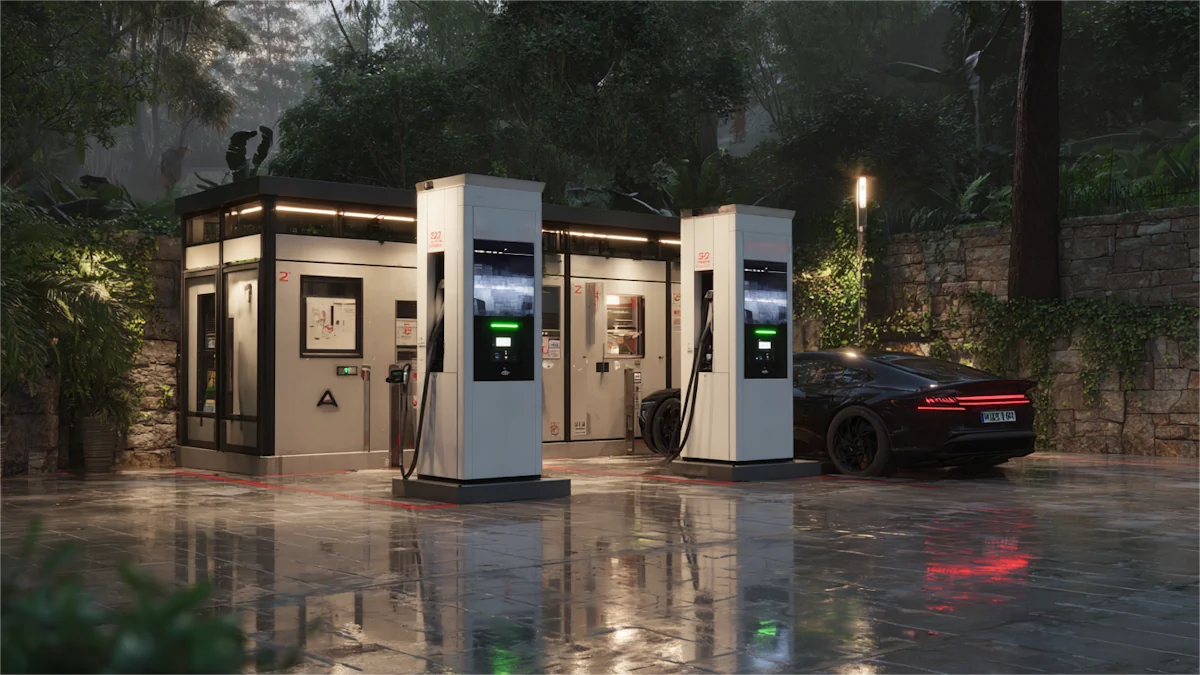
    Read this once and you can handle your first public charge. You’ll know what plug fits, how to pay, how long it takes, and how to fix common hiccups.     Public charging: AC vs DC AC Level 2 shows up at parking lots, hotels, and workplaces. Typical power is 6–11 kW. Good for topping up while you do something else. DC fast is for trips. Power ranges from 50–350 kW. You stop for minutes, not hours. Level 2 is slower but cheaper per hour. DC fast costs more and gets you moving sooner.     Check compatibility before you go Your inlet decides what you can use. In North America, AC is J1772 and DC is often CCS. In Europe, AC is Type 2 and DC is CCS2. Some older Japanese models use CHAdeMO. J3400 (often called NACS) is expanding. If an adapter is involved, confirm support for both your car and the site.     Which connector do you need—CCS, CHAdeMO, or NACS (J3400)? Your car’s DC inlet is the rule. Many newer North American models use CCS. Some legacy models use CHAdeMO. J3400 access is growing. If your car needs an adapter, verify support and any power limits before you rely on it.     Compatibility decision table Your vehicle inlet (region) You can use these public plugs Notes AC J1772 + DC CCS1 (North America) Level 2: J1772; DC fast: CCS1 Some sites also list J3400 stalls; adapter rules vary by model. AC Type 2 + DC CCS2 (UK/EU) Level 2: Type 2 (often socketed); DC fast: CCS2 Bring your own Type 2 cable for many AC posts. CHAdeMO (selected legacy models) DC fast: CHAdeMO Coverage is shrinking in some regions; plan ahead. J3400/NACS inlet DC fast: J3400; Level 2: J3400 or adapter to J1772 Non-Tesla access depends on site and app eligibility. Tesla J1772-only cars (older imports) Level 2 via J1772; DC often needs an adapter Check adapter power limits.     Get ready: app, payment, cable, adapters Set up at least one network app and add a card. If the network offers an RFID card, keep it in the car. In the UK/EU, pack a Type 2 cable for socketed AC posts. If your inlet and local plugs don’t match, bring the right adapter and know how to attach it safely.   Do I need an app or can I just tap a card? Both work in many places. Apps show live status and member pricing. Contactless cards are quick for one-off sessions. Save the network phone number in case activation fails.     Find a station and confirm details on site Search “EV charging” in your maps app, filter by connector and power, then pick a site with recent photos and good lighting.   Filter by connector, power (kW), availability, and amenities. Check recent photos for cable reach and layout. On arrival, re-check the stall’s posted power and tariff, time limits, and idle fees. Park so the cable isn’t stretched. Pick a well-lit bay at night.   Safety in rain: charging hardware is weather-rated. Keep connectors off the ground, make a firm click-in, and if you see an error, stop and call support.     How much does public EV charging cost? Networks use per-kWh, per-minute, per-session, or mixed pricing. Level 2 is slower but cheaper per hour. DC fast costs more and may add idle fees. Confirm the live tariff on the screen or in the app.   As a rough guide, many U.S. DC fast sites price around $0.25–$0.60 per kWh; adding ~25 kWh often lands near $7–$15. Per‑minute sites may range about $0.20–$0.60/min, so a ~30‑minute stop can be ~$6–$18. Local taxes, demand charges, and member plans change the math. Parking fees, if any, are separate.     The six steps that work almost everywhere 1) Park and read the power and fee info on the screen. 2) Plug the connector until it clicks. 3) Start the session with app, RFID, or contactless. 4) Confirm charging on the unit and in your car. 5) Watch progress; charge rate usually slows at higher state of charge. 6) Stop the session, unplug, re-dock the handle, and move the car.     While charging: speed, taper, and when to leave Charging is fastest at low state of charge. As the battery fills, current tapers. On trips, aim for the energy to reach your next stop with a buffer, not 100%. Watch for time limits and idle fees when charging ends.     How long does a public charge usually take? It depends on arrival SOC, charger power, and your car’s intake curve. Use the table below as a rough guide and keep a buffer.     Time expectations Goal Charger power Typical minutes* Add ~25 kWh on Level 2 7 kW ~210–230 min Add ~25 kWh on Level 2 11 kW ~130–150 min Add ~25 kWh on DC fast 50 kW ~30–40 min Add ~25 kWh on high-power DC 150 kW+ ~12–20 min *Actual times vary with battery size, temperature, arrival SOC, and load sharing.   End the session and be courteous Stop in the app or on the unit. Unplug, re-dock the handle, tidy the cable, and move. Keep sessions short when others are waiting. Follow posted limits to avoid idle fees.   What’s the proper etiquette at public chargers? Don’t block bays once you’re done. Re-dock the connector. If there’s a queue, take only the energy you need and free the stall.     Quick fixes that work If payment fails, try another method or another stall. If charging won’t start, seat the connector firmly and check app alerts. If the port or handle won’t release, end the session, use the vehicle’s charge-port unlock, wait a few seconds, then pull straight. If the unit faults, note the station ID and call support.     What should I do if the connector is stuck and won’t release? End the session, try the vehicle’s unlock, wait for the latch to cycle, then pull straight. If it’s still locked, call the support number on the unit.     What changes by region North America: Public AC uses J1772; DC fast is CCS with growing J3400 access. Many new sites let non-Tesla cars use designated J3400 stalls. UK/EU: Many AC posts are socketed Type 2; bring your own cable. DC fast is CCS2. Contactless pay is common on newer sites. APAC: Standards vary by market. Check your route and carry the right cable/adapter where allowed.     Can non-Tesla drivers use Tesla Superchargers now? In many regions, yes, at eligible sites and stalls. Eligibility and adapters vary by vehicle and location. Check the network or vehicle app for eligibility before you plan around it; if an adapter is needed, confirm model support and power limits.     Pocket checklist • App installed and payment set • Correct connector or adapter packed • Type 2 cable (if your region uses socketed AC posts) • Plan A and Plan B chargers saved • Arrive low, leave with a buffer, avoid idle fees     If you’re comparing handle styles or cable ergonomics before a fleet rollout, see EV connector options from Workersbee to understand what operators deploy.   For homes and depots that need a flexible backup, portable EV chargers from Workersbee can bridge slow AC posts or temporary sites on travel days.
    Read More
  • How to Tell If Your EV Is Actually Charging How to Tell If Your EV Is Actually Charging
    Nov 14, 2025
    Most EV drivers meet this situation sooner or later: the cable is latched, some light is blinking, the app looks busy, but you are not sure whether the battery is actually taking energy. Maybe it is dark, raining, or you are in a hurry and just want a quick, reliable way to confirm that charging is really happening.   What EV charging actually meansCharging means energy is flowing into the high-voltage battery now. Two hard proofs: the state of charge (SOC) increases over time, and live power is above 0 kW. A latched plug or a steady light is not proof by itself.     10-second verification Check the charger or app: power (kW) or current (A) is non-zero. Open the car screen: SOC shows and begins to rise; an ETA to full appears and counts down. Watch session energy: the kWh total climbs minute by minute. Confirm the basics: latch clicks, connector sits flush, cable only warm.     Numbers that prove charging (kW • A • kWh • SOC)Power (kW): any value above 0 confirms flow.Current (A): on AC, 6–32 A or more; on DC, triple digits are common.Energy (kWh): the session total increases steadily.SOC delta: note the % now and again after 3–5 minutes; at low SOC on Level 2, a 1–2% rise is typical.ETA: time-to-full trends downward; if it freezes while kW = 0, flow likely stopped.     EV charging indicators (charger • vehicle • app) Where to look What you should see What it means What to do next Charger screen kW > 0 or A > 0; session kWh rising Energy is flowing Let it run; note ETA Vehicle display Charging icon animates; SOC ticks up; ETA visible Car accepted the charge Recheck SOC every few minutes Mobile app Live kW/A; SOC and ETA updating Remote proof of flow Set a reminder to avoid overstay Charge-port light Charging pattern or green pulse Lock and handshake OK If kW = 0, check schedules or faults Cable/handle feel Warm is OK; hot is not Normal heat vs poor contact If hot or smelly, stop and reseat     Port-light colors and meanings• Pulsing or animated green: actively charging.• Solid green or white: connected/ready or completed; verify with kW.• Blue or cyan: connected but waiting (schedule or handshake).• Red or amber: fault or user action needed.Always trust the numbers (kW, kWh, SOC) over colors when they disagree.     Brand light-color differences: quick look• Tesla: blue = connected/waiting; green pulsing = charging; solid green = completed.• Chevrolet (example): blue = connected; green pulsing = charging; solid green = completed; red = fault.• Kia: charge indicator illuminated = charging; specific colors vary by model—confirm on-screen status.• Wallbox (example such as networked home units): green pulsing can also mean scheduled/ending; confirm with kW/kWh. Note: if color and numbers disagree, trust kW/kWh/SOC.     Why charging power changes (avoid false alarms)Cold battery: the car may pre-heat first; expect low kW at the start, then a rise.High SOC: taper near the top is normal; kW falls by design.Shared cabinets: some public sites split power between stalls; kW can bounce.Payment/authentication: “connected but 0 kW” often means the session hasn’t started—restart, change method (app ↔ RFID), or finish payment.Home load management: smart wallboxes reduce current when household load is high.     Expected charging power by level (L1/L2/DC)• Level 1 (120 V, 12 A): about 1.4 kW. Slow but steady; SOC may rise ~1–2% per 10–15 minutes at low SOC.• Level 2 (240 V, 32 A): about 7.2–7.7 kW. Clear SOC gain every 3–5 minutes.• Level 2 (three-phase 11–22 kW): site and car dependent; the onboard charger sets the ceiling.• DC 50 kW: steady mid-range fast charge; taper near high SOC is expected.• DC 150 kW+: high power when the battery is warm and SOC is low; larger swings from thermal limits or power sharing are normal.     AC vs DC fast charging Aspect AC (Level 1/2) DC fast Typical power 1–22 kW (limited by onboard charger) 30–350+ kW (vehicle and site limits) Sounds Brief relay click; generally quiet Fans and pumps vary with heat and power Curve Flatter once stable Rises, then tapers at higher SOC Watch for Amps and SOC delta kW swings from thermal or cabinet sharing     60-second troubleshooting when kW = 0 or SOC won’t moveStart → Is the connector fully seated with a latch click? If not, unplug and insert squarely until it clicks.Charger shows waiting, scheduled, or faulted? Clear the error or override with charge now.Authentication complete? If using an app, try an RFID card; if using RFID, start in the app.Cold weather? Wait 3–5 minutes for battery conditioning and recheck kW.Above ~80% SOC? Low kW is taper, not failure.Still 0 kW? Move to another stall or cable. At home, reduce current and reset the breaker once.If problems persist, inspect pins and handle; contact support or an electrician.     Safety checks during charging (heat, smell, discoloration)The handle should never be too hot to touch.No burning smell, arcing sounds, or discolored plastics.Never hold the plug to “keep it charging.” Reseat or switch cables instead.     Good connector contact: flush fit, single lock, no wobbleA good connector sits flush, locks once, and does not wobble. Stable contact helps keep resistance low and heat rise controlled. Quality hardware reduces nuisance stops; consider a proven EV connector from a specialist(EV connector).     Home wallbox vs portable EV charger: how to confirm chargingWallbox: confirm kW and scheduled start in the app; load balancing may lower current when appliances run. Portable unit: LEDs are basic; confirm on the car screen or in the app. A “CHARGE” light can mean charging; rapid blinking can indicate thermal protection—verify with kW on the car screen. Step current down on older circuits to avoid trips. A robust portable EV charger lets you match different outlets safely(Portable EV charger).     Simple meter check: kW reading above zero confirms chargingIf your wallbox shows 7.2 kW on 230 V, that is roughly 31 A. Any steady reading above 0 kW across a few minutes, with kWh accumulating, is definitive proof of charging.     EV charging FAQs Why does my EV show connected but not charging? Common reasons include an active charging schedule on the car, payment not completed on the network, a communication error between car and charger, or a latch that is not fully engaged. Clear any schedules, restart the session and confirm that kW and kWh begin to move.   Is power dropping after 80 percent normal? Yes. Most EVs reduce charging power significantly once the battery passes roughly 60–80 percent SOC, especially on DC fast chargers. This taper protects battery health. If you only need enough energy to reach the next stop, it is usually more time-efficient to unplug earlier rather than wait for a very slow top-off to 100 percent.   Why does DC fast charging power keep bouncing up and down? On many sites, multiple connectors share the same power cabinet. When another car plugs in, unplugs, or changes its demand, the available power for your car can change too. At the same time, your own battery management system adjusts current based on temperature and SOC. As long as SOC and kWh continue to rise, these swings are usually normal.   Can I rely only on the mobile app to know if my EV is charging? The app is convenient but can lag or briefly show stale information. When you are at the charger, treat the charger display and the vehicle screen as the primary truth for kW, kWh and SOC. Use the app mainly to start or stop sessions, to check status at a distance, and to review past sessions.   What if the car says charging but the station stops billing? Occasionally a network can end billing while the car still shows a charging animation. When you return, compare the kWh in the session summary with the change in SOC on the car. If the numbers do not make sense, contact the operator with the time, location and session details so they can review the logs.     Reliable charging depends on two things: clear feedback for the driver and hardware that behaves predictably in real conditions. Behind many public and home chargers are specialist manufacturers who design the EV connector, cable, and portable EV charger that handle power and everyday wear and tear.   Workersbee focuses on these components for global charging brands and installers, from AC plug-in solutions to DC fast-charging interfaces. If you are selecting hardware for a new project, our team can help match the right EV connector and portable EV charger platform to your requirements.
    Read More
  • How EV Charging Stations Actually Work How EV Charging Stations Actually Work

    Nov 13, 2025
    EV charging stations coordinate three flows—power, low-voltage cable signaling, and cloud data—so the vehicle and station agree on limits, close the contactors safely, deliver measured energy, and settle the session.     First-time user quick pathLocate a station → authenticate (RFID, app, or Plug and Charge) → plug in and watch the session start.     What a station actually doesA station is more than a socket. It routes safe power, exchanges low-voltage signals with the car to agree limits, talks to a backend to authorize and log the session, and produces a billable record. The process is controlled, measured, and auditable end to end.     The three flows in one viewPower: grid or on-site generation → distribution panel → cabinet or wallbox → contactor → vehicle batteryControl: control-pilot signaling (IEC 61851-1 / SAE J1772) advertises limits → vehicle requests within those limits → safe state reachedData: station ↔ cloud via a charging protocol (e.g., OCPP) for authorization, tariffs, session status, meter values, and receipt     AC vs DCWith AC charging, AC-to-DC conversion happens inside the car’s onboard charger (OBC) at modest power.With DC fast charging, conversion moves into the cabinet; rectifier modules supply high-current DC directly to the battery while the vehicle supervises demand and limits.     AC vs DC roles and signals Item AC charging (home & workplace) DC fast charging (public DC) Where AC→DC happens Inside the car (onboard charger) Inside the cabinet (rectifier modules) Typical power 3.7–22 kW 50–400 kW+ How current is set Vehicle requests within station limit Station modules meet vehicle request within site and thermal limits Bottleneck rule Session rate = min(vehicle capability, station capability, site limits) Session rate = min(vehicle capability, station capability, site limits) Cable and interface (by region) Type 2 or J1772 CCS2, CCS1, GB/T, or NACS On-cable signaling Control Pilot 1 kHz PWM declares current ceiling; Proximity Pilot identifies cable and latch Same low-voltage chain plus high-voltage interlocks and insulation checks Safety chain State transitions before the main contactor closes; leakage protection present Same chain plus pack-level protections Cloud link Session, tariff, status, faults, firmware Same, with more telemetry and thermal data     What happens on the wireBefore any high voltage appears, the station and vehicle talk over two low-voltage lines in the connector. The control pilot is a 1 kHz square wave; its duty cycle advertises the station’s current ceiling. The vehicle reads that ceiling and never requests more.   The proximity pilot tells the station what cable is connected and whether the latch is engaged. Only after these checks pass does the system move from a waiting state to an energized state. For readers who need the physical interface and handling notes, see our Type 2 EV connector page for shell geometry, latch behavior, and cable rating basics.     The safety chain that prevents hot-plugging Mechanical: the latch holds the plug in place; the station senses it. Electrical: ground and insulation checks pass; leakage protection is armed. Logical: once the vehicle signals readiness, the station transitions to the energized state. Power: the main contactor (high-power relay) closes; monitoring continues during the session. If any condition fails, the contactor opens and power stops.     How the station talks to the cloudStations rarely run alone. Through OCPP (Open Charge Point Protocol), the unit reports status, receives tariffs and updates, opens and closes sessions, and uploads meter values and error codes. Typical message flow includes Authorize → StartTransaction → MeterValues (periodic) → StopTransaction, plus Heartbeat and Firmware management. A certified meter records energy in kilowatt-hours; time-based or session fees can be added by policy, but the energy measure anchors the bill.     From plug-in to billing: a seven-step timeline 1. Physical connection: insert the connector until the latch clicks; the station senses cable type and capacity. 2. Safety checks: ground and insulation look correct; the station broadcasts the 1 kHz control signal. 3. Capability announcement: the duty cycle states the maximum allowed current for this outlet and cable. 4. Vehicle readiness: the vehicle acknowledges and requests an appropriate current or begins the DC handshake. 5. Energize: the station closes contactors; protective devices arm and stay vigilant. 6. Metered delivery: energy is measured and logged; limits adjust with temperature, load management, or site policy. 7. End and settle: stop via button, app, RFID, or target reached; logs are finalized for billing.     Why sessions fail more often than they should• Physical fit and latch: dirt, misalignment, worn seals, or a bent spring can block the proximity signal.• Cable and strain relief: sharp bends, damaged sheath, or water ingress trigger protection.• Signaling out of range: poor contact or corrosion alters low-voltage levels so the vehicle never sees a valid state.• Backend delays: if the cloud takes too long to authorize, the station times out.• Thermal limits: hot weather or a dusty filter derates current; some vehicles stop early to protect the pack. For high-duty public sites in hot weather, a CCS2 liquid-cooled connector helps keep handle temperatures stable and cable weight manageable during long sessions.     GlossaryContactor: high-power relay that connects the main circuitDuty cycle: percentage of time the control signal is on within one cycleInsulation check: verification that high-voltage parts are not leaking to groundPlug and Charge (ISO 15118): certificate-based automatic authentication over the same cable     FAQs Can I just plug in and start?Some vehicles support Plug and Charge (ISO 15118) for certificate-based automatic authentication. Otherwise use RFID or the operator’s app.   Why did my session fail to start?Press until the latch clicks, check the cable route (no sharp bends), clean visible dirt on the connector, then try the app if RFID times out.   Why does charging sometimes slow down?Stations and vehicles reduce current near high state-of-charge, when the connector warms up, or when the site balances power across stalls.   What exactly is being billed?Energy in kilowatt-hours forms the base. Operators may add time-based or session fees and taxes; the receipt lists the components.
    Read More
  • Can You Use Your Electric Car While Charging? What You Can Do and What You Cannot Can You Use Your Electric Car While Charging? What You Can Do and What You Cannot
    Nov 06, 2025
    Yes, you can use some functions in an electric car while it is charging. You can usually sit inside the vehicle, run the air conditioning or heater, and use the screen or other cabin systems. But you cannot drive the car while it is still plugged in.   That is the key difference. Using your electric car while charging is not the same as using it for normal driving. Modern EVs are designed to allow limited onboard functions during charging, while keeping the vehicle in a safe, stationary state. So the short answer is simple: yes, some functions can stay on, but the car cannot be driven while charging.     What You Can and Cannot Do While an EV Is Charging While charging Usually allowed Not allowed Sit inside the car Yes - Use air conditioning or heater Yes - Use infotainment or interior lights Yes - Check settings or navigation Yes - Shift into Drive or Reverse - Yes Drive away while plugged in - Yes     Can You Turn On an Electric Car While Charging? Usually, yes. In most EVs, turning the car on during charging means the cabin and basic electronic systems can operate. The display may stay active, the climate system may run, and the driver may still be able to adjust settings.   That does not mean the vehicle is ready to move. A car can appear active while charging, but the charging connection and safety controls still prevent normal driving.   This is where many search questions overlap. Can you turn the car on? Usually yes. Can you drive it while plugged in? No. The vehicle is designed to separate comfort functions from movement functions during charging.     Can You Start an EV While It Is Plugged In? This question often refers to the same situation, but the wording can be confusing. In many models, pressing the start button powers the vehicle systems, not the drive function.   So if starting means turning on the screen, climate control, or cabin electronics, that is usually possible. If starting means shifting into drive and leaving, it is not. The charging system is built to prevent that.   This matters in both home and public charging. Once the connector is engaged, the vehicle should remain stationary until the session ends and the cable is removed.     Is It Safe to Sit in an EV While Charging? Under normal charging conditions, it is generally safe to sit inside an EV while it is charging. Many drivers do this during both home charging and public charging stops, especially when the weather is hot or cold.   The more important question is whether the charging session itself is normal. The connector should fit correctly, the cable should look intact, and the vehicle or charger should not show warnings. Sitting in the vehicle is usually not the issue. Damaged equipment, poor contact, or overheating is where the real concern begins.   If anything feels unusual, the session should be stopped and checked. Visible cable wear, a loose connector, error messages, or excessive heat should never be ignored.     Can You Use AC, Heater, Lights, and Infotainment While Charging? In most cases, yes. Climate control, infotainment, cabin lighting, and similar low-power functions are usually available while charging.   What changes is how the incoming power is used. Some of that energy goes to battery charging, while some may support cabin comfort and electronics. Because of that, the net charging result can be slightly lower when these systems are running.   The effect is often more noticeable during lower-power AC charging. During higher-power charging, the impact may feel smaller, but it still exists. That is why some drivers notice slower battery gain when heating or cooling is working during a session.   This does not mean those functions should be avoided. It simply means charging and cabin use are sharing energy at the same time.     Why You Cannot Drive an EV While It Is Plugged In An EV cannot be driven away while charging because the charging system and vehicle controls are designed to block movement during an active connection.   The reason is simple. If a vehicle could move while the cable was still connected, it could damage the connector, the inlet, the charger, or the surrounding area. Preventing movement protects both equipment and users.   This is why a vehicle may look active while still being locked out of normal driving. The cabin can work, but the vehicle is not in a drivable state until charging ends and the connector is removed.   For drivers, the easiest rule to remember is this: active does not mean drivable.     Does Using the Car While Charging Affect Charging Speed? It can. If the air conditioning, heater, lights, or infotainment system is running, part of the incoming energy is being used outside the battery pack.   How noticeable that feels depends on charging power and cabin load. A light cabin load may have very little effect. Strong heating or cooling, especially during slower charging, can have a more visible impact.   This is one reason some drivers feel that charging is slower than expected when they stay in the car with climate control running. The session is still working, but not all incoming energy is going into stored battery charge.     Home Charging vs. Public Charging The basic rule stays the same in both cases: some onboard functions can be used, but the vehicle cannot be driven while plugged in.   At home, charging is often slower and lasts longer, so cabin use can be easier to notice in the final charging result. At a public fast charging site, the incoming power is much higher, so the same cabin load may feel less important.   The user experience is also different. At home, drivers often leave the vehicle and let it charge overnight. In public, they are more likely to stay inside, use the screen, adjust navigation, or run heating and cooling while waiting.     Best Practices While Charging Use charging equipment that matches the vehicle and application. A stable connection is the first step to a safe session.   Check the connector, cable, and inlet before charging. If anything looks worn, damaged, loose, or unusually hot, it should not be ignored.   Use cabin functions when needed, but remember they may slightly reduce net charging performance.   Do not try to override vehicle safety controls. If the vehicle will not enter a drive state while plugged in, that is working exactly as intended.   For charging businesses and equipment buyers, this is also where product quality matters. Well-designed charging components, including reliable EV charging connectors and cables, help support stable sessions and reduce avoidable issues in daily use.     FAQ Can you use your electric car while charging? Yes. In most cases, you can use cabin systems and electronic functions while charging, including climate control, lighting, and infotainment. But the vehicle cannot be driven away until the charging connector is removed.     Can I start my car while it is plugged in? You may be able to power the vehicle systems, but the car is not available for normal driving while the charging connector is connected.     Is it safe to sit in an electric car while charging? Under normal charging conditions, yes. Stop the session if you notice warning messages, visible damage, loose connection, or unusual heat.     Can you use air conditioning while charging an EV? Yes. Climate control usually works during charging, although it may slightly reduce the net charging rate.     Does using the heater or infotainment slow down charging? It can reduce the net energy going into the battery because some incoming power is being used by the vehicle systems at the same time.     Why can an EV not be driven while charging? Because the vehicle and charging system are designed to prevent movement while the cable is connected.     Conclusion An electric car can usually power cabin systems while charging, so drivers can often stay inside, remain comfortable, and use basic functions during a charging session. The boundary is clear: using the vehicle is not the same as driving it. Once the connector is engaged, the car is designed to remain in a safe, stationary state.   For users, that makes charging more practical. For charging providers and equipment buyers, it is also a reminder that safe, stable charging depends on both vehicle design and dependable hardware.
    Read More
  • What Is EVSE? A Complete Guide to Electric Vehicle Supply Equipment and How It Works What Is EVSE? A Complete Guide to Electric Vehicle Supply Equipment and How It Works
    Nov 04, 2025
    What EVSE MeansEVSE stands for Electric Vehicle Supply Equipment. In everyday language, people say EV charger, charging station, or charge point. EVSE is the hardware that safely delivers power from the grid (or onsite generation) to the vehicle inlet.   A quick terms check keeps things clear: a site is the physical location with one or more parking bays; a port is a single usable output at a time; a connector is the physical plug at the end of the cable; and an EVSE is the unit that controls and protects the power flow. The industry keeps the term EVSE in specifications and codes because it stresses safety functions and control logic, not just power.     How It WorksThere are two charging paths. With AC charging, the EVSE provides safe AC power and signaling, and the car’s on-board charger (OBC) converts AC to DC for the battery. With DC fast charging, rectification happens off-board: the DC charger supplies controlled DC directly to the battery, so charging power can be much higher.   Every session starts with a handshake. The control pilot line confirms that the cable is connected, checks grounding, advertises available current, and lets the car request start/stop. Protective devices sit in the power path: contactor/relay for line isolation, RCD/GFCI for ground-fault protection, over-current protection, and temperature sensing along cable and connector to prevent heat rise. A metering element records kWh. A control board runs firmware, shows status on an HMI or LEDs, and hosts a networking module if the unit is online.   Good systems plan for offline moments. If the network drops, a safe default current and local start/stop keep you running, and error codes remain available onsite for quick diagnosis.     Charging LevelsBelow is a practical view of levels, typical power, where each fits, and the trade-offs. Level Input (typical) Power (typical) Best Fit Pros Cons Level 1 (AC) 120 V single-phase ~1.4 kW Overnight at home; light daily miles Lowest install cost; uses existing outlet Slow; sensitive to shared circuits Level 2 (AC) 208–240 V single-/three-phase 7–22 kW Homes, workplaces, depots Fast enough for daily turnover; wide hardware range Needs dedicated circuit; plan cable run and voltage drop DC Fast Charging 400–1000 V DC 50–350+ kW Highways, public hubs, heavy-use fleets Trip-saving speed; power sharing options Highest CAPEX/OPEX; thermal management matters   Session time depends on vehicle limits, state of charge, temperature, and how the charger shapes its power curve. More kW does not always mean the car will accept it; the vehicle sets ceilings and tapers as the battery fills.       Connectors And StandardsConnector types track region and power class, with growing overlap: J1772 (Type 1) for North America AC charging; Type 2 for Europe and many other regions, including three-phase AC up to 22 kW in typical wallboxes. CCS1 (North America) and CCS2 (Europe and others) combine AC pins with DC fast pins for one inlet on the car. J3400 (often called NACS) is expanding across North America; adapters and dual-standard sites are common during the transition. CHAdeMO persists in parts of Asia and on some legacy vehicles.   For operations, OCPP helps a network or operator talk to many charger brands; OCPI helps roaming between networks. On the installation side, follow local electrical code for circuit sizing, protection devices, labeling, and inspection.     Installation And Compliance BasicsHomeCheck panel capacity and the target circuit size before picking hardware. Keep cable runs sensible to avoid voltage drop; avoid tight coils that trap heat. Choose cable length to reach the inlet without strain, and confirm enclosure rating if the unit will face rain, sun, and dust. Where permits apply, book inspection early.   CommercialThink like your users. Wayfinding and signage reduce idle bays. Access control and payment need to be simple. Plan cable management so connectors stay off the ground and don’t become tripping hazards.   Network reliability matters as much as nameplate kW; build in redundancy, and map a local-control fallback. Metering and billing should produce clean session records.   Fleet And DepotsSize circuits and transformers for the combined load, then apply load management so not every vehicle charges at full power at once. Balance dwell time, shift change windows, and route needs.   Keep spare parts for wear items (contactors, cables, connectors), and define clear RTO targets for uptime. Consider environmental factors—cold mornings and hot afternoons shift the thermal and taper behavior of vehicles and cables.     FAQs Is EVSE the same as a charger?No for AC: the car’s on-board charger converts AC to DC. The EVSE supplies safe AC and control signals. For DC fast charging, the off-board unit is the charger.   How much faster is Level 2 than Level 1?Roughly 5–10× by power. Typical home Level 2 at 7–11 kW can add about 25–45 km of range per hour depending on the vehicle and conditions.   Which connector should I pick?Match your vehicles and region. In North America that often means J1772 for AC with growing J3400 support; CCS1 or J3400 for DC. In Europe and many other regions, Type 2 for AC and CCS2 for DC.   What cable length is sensible?Long enough to reach the inlet without pulling or crossing walkways. For home, 5–7.5 m covers most driveways. For public sites, plan holsters and reach for both left and right inlets.     Workersbee products and services• DC connectors and cablesLiquid-cooled CCS2 DC connector for high-current public sites; naturally-cooled CCS2 connector for 250–375 A ranges; matching cable sets and spare kits for field service. • AC connectors and portable chargingType 1 and Type 2 portable EV chargers for homes and light commercial use; compatible cable assemblies and adapters where permitted. • Engineering supportApplication guidance for connector and cable selection, thermal and ergonomics checks, and maintenance plans; assistance with certification documentation for typical compliance needs. • After-sales and supply Spare parts packages, replacement cables and handles, and coordinated deliveries for multi-site rollouts.     If you’re scoping a project and want a quick sanity check, share your target power, connector type, and site conditions. We’ll suggest a suitable option from a liquid-cooled DC connector, a naturally cooled CCS2 connector, or a Type 1/Type 2 portable EV charger, and outline lead times, spare sets, and service options.
    Read More
  • What Is EV Range? A Simple Guide for Everyday Drivers What Is EV Range? A Simple Guide for Everyday Drivers
    Oct 30, 2025
    EV range is the distance an electric vehicle can travel on a full charge under a defined test cycle. It’s a benchmark, not a promise. Real driving shifts the number up or down with temperature, speed, terrain, wind, and how you use heating or A/C.     Why lab numbers differ from daily drivingTest labs fix temperature and driving patterns. Your commute doesn’t. Cars also spend energy warming or cooling the battery to protect it. At higher speeds, air drag grows quickly, and headwinds behave like driving faster. That is why the sticker is a starting point, not your guaranteed outcome.     How Range Is Measured (EPA, WLTP, Road Tests) EPA mixed-cycle basicsIn the U.S., the EPA combines simulated city and highway driving into one rating. The cycle includes cold starts, stops, and steady cruises, then applies adjustments so the result reflects typical use. You see one number on the window label to keep things simple.   WLTP regional differencesWLTP is common in Europe and many export markets. It uses a different speed profile and temperature window, usually producing a higher figure than EPA for the same car. Numbers are comparable within one region’s system, but not always apples to apples across systems.   Why media tests and owner reports varyMany outlets run a steady 70–75 mph highway loop; owners drive mixed routes at mixed temperatures. Both can be valid, but they answer different questions. Highway-only tests reflect road trips; mixed cycles reflect everyday use.     What Changes Your Actual Range Temperature and battery conditioningBatteries are happiest in mild weather. In the cold, the pack is less efficient and the cabin needs heat. Preconditioning while plugged in—warming the pack and cabin before you depart—can recover a lot of winter loss. In extreme heat, the system may cool the pack to protect longevity.   Speed and driving styleEnergy use climbs sharply with speed. A steady 65–70 mph cruise is usually better than running at 80 mph or repeatedly accelerating hard. Smooth inputs, anticipation, and coasting into traffic lights help more than any single gadget.   HVAC loadsHeat is the big penalty in winter, especially with resistive heaters. A/C in summer costs something, but usually less than heat in freezing weather. Seat and wheel heaters keep you comfortable with relatively little draw.   Terrain, wind, and elevationLong climbs spend energy; descents return some through regeneration, but not all. Headwinds and crosswinds add drag. Route choice matters: a slightly slower but flatter road can beat a shorter, steeper one.   Tires, racks, and weightUnder-inflated tires, all-terrain tread, bigger wheels, roof boxes, and bike racks all increase drag or rolling resistance. Keep tires at the recommended pressure and remove racks when not in use. Extra cargo weight hurts range, especially in hilly areas.   Software and eco modesEco profiles temper throttle, optimize HVAC, and can schedule battery conditioning before a DC fast charge. Over-the-air updates sometimes bring efficiency tweaks—worth keeping current.     One-screen adjustment tableStart with your rated range (EPA or WLTP). Multiply by the scenario factor to get a practical planning number. Use the low end of the range for cautious planning, the high end if you know your route and conditions well.   Ambient temperature Driving pattern HVAC use Scenario factor 15–25 °C (59–77 °F) Mixed city/highway Light A/C 0.95–1.00 15–25 °C (59–77 °F) 70–75 mph highway A/C off or light 0.85–0.92 >30 °C (>86 °F) Urban stop-and-go A/C medium 0.90–0.95 >30 °C (>86 °F) 70–75 mph highway A/C medium 0.82–0.90 0–10 °C (32–50 °F) Mixed Heat low 0.80–0.90 <0 °C (<32 °F) Mixed Heat medium 0.70–0.85 <0 °C (<32 °F) 70–75 mph highway Heat medium/high 0.60–0.80   Two quick examplesWinter commute: Rated 400 km. Morning is −5 °C with heat on, mixed roads. Apply 0.75. Planning range ≈ 300 km.Summer highway: Rated 300 miles. Afternoon 32 °C, steady 72 mph with moderate A/C. Apply 0.86. Planning range ≈ 258 miles.     BEV vs PHEV: What Electric Range Means Electric-only vs total rangeA battery-electric vehicle (BEV) lists a single all-electric range. A plug-in hybrid (PHEV) lists electric-only miles; after that, it runs as a hybrid on liquid fuel. If your days are short hops and you rarely exceed the electric-only distance, a PHEV may fit. If you prefer one energy system and have regular access to charging, a BEV keeps it simpler.   When each makes senseChoose a PHEV if charging is intermittent and your daily distance is modest. Choose a BEV if you can charge at home or work and want the smoothest electric drive every day. For fleets, think about route repeatability and depot charging windows.     Range Over Time Battery health and agingCapacity declines gradually with age and cycles. The pattern is often a small early drop, then a slower long glide. Avoid sitting at 0% or 100% for extended periods. At home, keeping the car plugged in lets thermal management work and prevents deep swings.   Seasonal swingsIt’s normal to see 10–30% swings between winter and summer in colder climates. Don’t chase day-to-day changes on the in-car estimate; judge trends over weeks and across similar conditions.     Simple habits that helpPrecondition when plugged in. Maintain tire pressure. Remove roof loads when not needed. Drive smoothly and pick steady speeds. These basics deliver most of the gain without micromanaging.     FAQ Why does range drop so much in winter?Cold chemistry and cabin heat both add load. Preheat while plugged in and use seat heaters to cut the penalty.   Why is highway range sometimes lower than city?At steady high speed, aerodynamic drag dominates. In city driving, regeneration recovers energy from braking; the gap can narrow or even reverse.   How much do A/C and heat matter?A/C tends to be a light to moderate hit. Heat in freezing conditions can be significant. Heat pumps help, but they are not magic at very low temperatures.   Do bigger wheels or all-terrain tires matter?Yes. Heavier, wider, or knobbier setups increase rolling resistance and drag. Expect a few to several percent depending on the change.   Can I trust the in-car range estimate?Treat it as a guide based on recent driving and current conditions. For trips, use the scenario table, map elevation, and weather to plan with a buffer.     If you’re planning a range with buffers and smart stop choices, it also helps to make home and on-the-go charging simple. For apartments, rentals, road trips, or as a winter backup, a portable EV charger with adjustable amperage and interchangeable plugs lets you charge from common outlets without installing a wallbox.   In Europe and many export markets, our Type 2 portable EV charger series focuses on safe thermal design, clear status feedback, and tough strain-relief for daily use. Tell us your plug types and typical circuits—we’ll suggest a portable setup that fits your car and routines.
    Read More
  • The Practical Guide to Type 2 EV Charging Cables The Practical Guide to Type 2 EV Charging Cables
    Oct 29, 2025
    Type 2 is the 7-pin IEC 62196-2 (often called “Mennekes”) AC charging interface used across the UK/EU. A Type 2 charging cable connects your car’s Type 2 inlet to either a home wallbox or a socketed public post.   If a post is tethered (has a fixed lead) you don’t bring a cable; if it’s socketed (just a Type 2 outlet), you need your own Type 2-to-Type 2 cable.     Two cable types• Type 2 ↔ Type 2 (Mode 3): daily charging at workplace and most socketed public AC posts; also useful if your home wallbox has a socket. • 3-pin (UK) → Type 2 “granny” lead (Mode 2): occasional, low-current top-ups from a domestic socket. Treat it like an emergency tool, not a high-duty solution. Avoid old outlets, extension reels left coiled, or long sessions at 13 A; warm plugs or softening cable jackets are a stop sign.     Power and phasesAC power is limited by two things: your car’s onboard charger (OBC) and the supply. On single-phase (230 V), power ≈ 230 V × current (A) ÷ 1000 → 32 A ≈ ~7.4 kW. On three-phase, power ≈ √3 × 400 V × current ÷ 1000 → 16 A ≈ ~11 kW, 32 A ≈ ~22 kW. • OBC 7.4 kW: single-phase 32 A is the ceiling; three-phase posts won’t make it faster. • OBC 11 kW: needs three-phase 16 A to reach ~11 kW; single-phase tops out near 7 kW. • OBC 22 kW: needs three-phase 32 A and a site that actually provides it.A 22 kW post doesn’t guarantee 22 kW on your dash; your OBC decides the maximum.     One-screen decision table Vehicle OBC (AC) Supply at site Typical location Recommended cable (A / kW) Length (m) Connector type Ingress target ~7.4 kW (1-phase) 1φ 32 A Home wallbox, tethered — — — — ~7.4 kW (1-phase) 1φ 32 A Public socketed post 32 A, ~7 kW 5–7.5 Type 2 ↔ Type 2 (Mode 3) IP66 for outdoor car parks ~11 kW (3-phase) 3φ 16 A Workplace socketed 16 A 3φ, ~11 kW 7.5 Type 2 ↔ Type 2 (Mode 3) IP66 ~22 kW (3-phase) 3φ 32 A Public socketed post 32 A 3φ, ~22 kW 7.5–10 Type 2 ↔ Type 2 (Mode 3) IP66       Materials and durability• Jacket: TPE/TPU or robust rubber with low-temperature flexibility (–30 °C), UV/oil resistance for outdoor public charging. • Strain relief: deep, one-piece boots at both ends to protect against repeated bending. • Bend life: ≥10 000 cycles is a practical reference for frequent public-site use. • Contacts: silver/nickel-plated, low contact resistance, controlled temperature rise at 32 A continuous.     Protection and compliance• Ingress protection: IP55–IP66 (note that mated vs unmated ratings differ; keep caps on when not in use). • Impact: IK10 housings resist drops and knocks in car parks. • Standards & marking: IEC 62196-2 Type 2, CE/TÜV marks, unique serial for traceability. • Care: keep pins clean/dry, don’t twist under load, store in a ventilated pouch.   If you want an engineered, field-tough assembly, see the Workersbee Type 2 EV Connector for the plug side we integrate into many Mode 3 cables (durable latch, clean pin plating, strain-relief geometry tuned for high duty).     FAQDo I need to bring my own cable to public AC posts?If the post is socketed with a Type 2 outlet, yes—bring a Type 2-to-Type 2 cable. Tethered posts already have a lead.   Is 22 kW always faster than 7 kW?Only if your car’s OBC supports 22 kW and the site is three-phase 32 A. Otherwise charging caps at your OBC limit.   What cable length should I buy?Measure the inlet-to-post path and add 1–1.5 m. 5 m for short, neat runs; 7.5 m as the default; 10 m for awkward bays.   Can I use a 3-pin “granny” (Mode 2) lead every night?It’s fine for occasional 10–13 A top-ups. For regular or high-duty charging, use a Mode 3 Type 2-to-Type 2 cable and a proper EVSE.   Is it safe to charge in heavy rain?Yes—if your equipment and cable are rated (e.g., IP55–IP66) and the connector is properly latched. Don’t use damaged plugs or cracked jackets.     Where Workersbee fits• For everyday AC posts and wallboxes, our Workersbee Type 2 EV Connector is designed for repeat plug-in cycles with a positive latch feel, low contact resistance, and robust strain-relief—ideal for building reliable Type 2 to Type 2 cables for 16 A and 32 A service. • For home and travel, the Workersbee Type 2 Portable Charger pairs a compact control box with interchangeable mains plugs and a Type 2 lead, giving you a safe Mode 2 option for occasional top-ups without guessing about current limits or thermal cut-offs.     If you’re sourcing for fleets or public networks, request an OEM/bulk quote with wire gauge, jacket material, IP/IK targets, and bend-life requirements, and we’ll propose a Workersbee build that’s durable, IP-rated, and easy to live with.
    Read More
  • Type 1 vs Type 2 EV Charging Connectors: Key Differences and Regional Use Type 1 vs Type 2 EV Charging Connectors: Key Differences and Regional Use
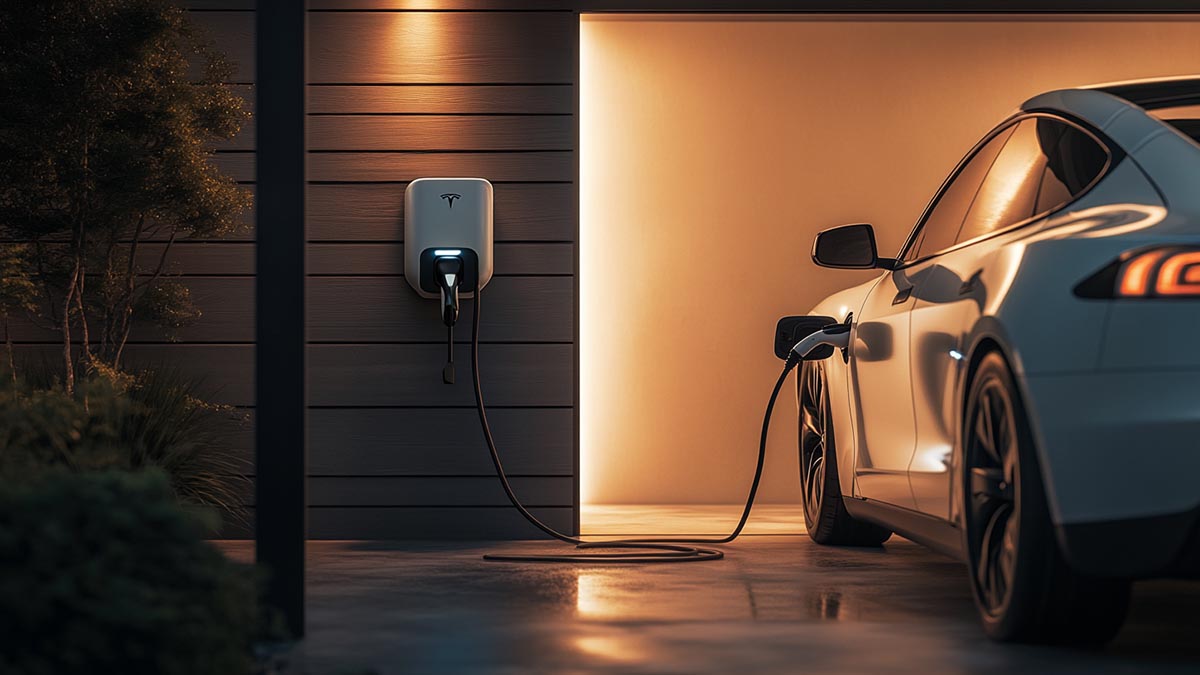
    Oct 28, 2025
    Type 1 and Type 2 are both AC EV charging connectors, but they serve different markets. Type 1 is mainly used in North American AC charging, while Type 2 is the standard AC connector across Europe and other markets built around IEC-based AC charging. That difference affects vehicle-side compatibility, local charging infrastructure, and the power setup a project is built around.   The comparison also becomes much clearer when it starts from market fit rather than connector shape alone. If you need a separate breakdown of each connector path, this topic works best alongside a dedicated J1772 connector guide and a dedicated Type 2 EV connector guide.     Type 1 vs Type 2: Key Differences at a Glance Type 1 and Type 2 differ in market use, interface format, phase support, and system compatibility. Item Type 1 Type 2 Main region North America and some related markets Europe and many IEC-based markets Connector / inlet format Type 1 / J1772 interface Type 2 interface Phase support Typically single-phase AC Single-phase and three-phase AC Typical AC charging environment Home and commercial AC charging in North American systems Home, workplace, and public AC charging in European systems Vehicle and infrastructure fit Best matched to vehicles and AC charging systems designed for Type 1 / J1772 Best matched to vehicles and AC charging systems designed for Type 2 Direct interchangeability Not a direct substitute for Type 2 Not a direct substitute for Type 1     These differences matter once connector choice starts affecting vehicle fit, charger design, and project planning.   How Type 1 and Type 2 Differ in Real Use In real charging use, the difference shows up first in phase support and day-to-day handling. Type 1 is typically used in single-phase AC charging, so it usually sits within a narrower AC charging range. Type 2 can work across both single-phase and three-phase AC environments, which gives it broader use across different AC charging setups. Handling is different as well. Type 1 is more often associated with a manual latch style, while Type 2 is more often used in charging systems where the connection is designed to stay locked during charging.   Those differences affect actual deployment. A Type 1 setup is more often aligned with straightforward AC charging environments where the vehicle, inlet, and charger already follow the same single-phase path. Type 2 can serve a wider range of AC charging scenarios in markets where Type 2 is already the established vehicle and infrastructure path, especially when both single-phase and three-phase AC conditions need to be covered.     Typical Charging Scenarios for Type 1 and Type 2 The better starting point depends on the target market, vehicle path, and charging scenario. Scenario Better starting point Why Home AC charging for North American vehicles with Type 1 / J1772 inlets Type 1 It follows the Type 1 / J1772 vehicle and charging path commonly used in North American AC charging Home or workplace AC charging in Europe Type 2 It matches the Type 2 vehicle and infrastructure path already used across European AC charging systems Public AC charging across more varied site conditions Type 2 It is easier to apply where the same connector family may need to work across both single-phase and three-phase AC environments Export charger planning for a defined North American market Type 1 The connector should follow the target vehicle base and installed AC charging context in that market Export charger planning for Europe or other IEC-based markets Type 2 The connector should match the interface standard already used in the target region Multi-market product planning Neither by default This usually needs market-specific configurations rather than assuming one AC connector can cover every region   Once the market, vehicle path, and charging scenario are defined, Type 1 and Type 2 are usually not competing for the same job.     Common Errors in Type 1 and Type 2 Selection One common mistake is treating Type 1 and Type 2 as interchangeable options. They are not. Connector choice still has to follow the vehicle-side inlet and the charging standard behind the project. Once that basic match is wrong, the rest of the setup usually starts from the wrong place.   Another mistake is choosing the cable or wallbox before confirming the vehicle interface. That reverses the correct order. The vehicle inlet should set the direction first, and the charging hardware should follow. Otherwise, compatibility problems tend to appear only after the hardware path has already been fixed.   A third mistake is mixing AC connector choice with DC fast charging capability. Type 1 and Type 2 in this comparison are AC connector decisions. They should not be used as shorthand for DC charging support or rapid charging performance, because those belong to a different layer of the charging system.   The fourth mistake is stopping at the connector name and ignoring the rest of the charging setup. Interface type is only the first filter. Phase support, current rating, and site power conditions still matter, because the connector also has to fit the charging environment the product is expected to support.     What to Check Before Choosing Type 1 or Type 2 Start with the target market. That usually sets the direction first, because Type 1 and Type 2 do not sit in the same regional AC charging path. For North American AC charging projects built around Type 1 / J1772 vehicles and hardware, the decision usually starts from Type 1. For Europe and other IEC-based markets, Type 2 is usually the more natural starting point.   Then confirm the vehicle-side inlet and the charging environment. The connector still has to match the vehicle interface it is meant to serve, and it still has to work under the actual site power conditions, phase support, and charging setup the project requires. Once that order is clear, product definition becomes much more direct. For teams developing market-specific AC charging products, Workersbee supports both Type 1 and Type 2 connector paths for clearer market-aligned product planning.
    Read More
  • Smart EV Charging Explained: A Simple Guide Smart EV Charging Explained: A Simple Guide


    Oct 27, 2025
    What smart EV charging isSmart EV charging is software-assisted charging that: 1) shifts charging to cheaper hours, 2) keeps circuits within safe limits, and 3) reduces stress on the grid. It’s the same cable and power, but timing and current adapt to price, capacity, and need.     How it worksThere are three flows working together.Power flow: grid or onsite solar → meter/panel → charger → vehicle battery.Control signals: your app or a schedule sets the charge rate and start/stop rules.Billing data: session start/stop, kWh and tariff details go to your app or a back office.If the network drops, a solid setup keeps a local fallback: a safe default current, the last saved schedule, and manual start/stop on the charger.     Core featuresTime-of-use (TOU) scheduling. Start at off-peak hours and finish before the morning spike.Dynamic load balancing. Share limited capacity across two EVs or several charge points without tripping breakers.Circuit caps. Hold the charger below a fixed amp limit that matches your wiring and breaker.Remote monitoring and updates. See progress, get alerts, and install firmware without a site visit.PV and storage integration. Match charging to rooftop output or a battery’s cheap-energy window.Demand response basics. Allow small, short power trims during grid events in exchange for a credit.     What changes when you turn on smart featuresBefore / After: Home with TOU pricingScenario: North America, off-peak 23:00–06:00, price 0.18 → 0.10 $/kWh. Goal: add 30 kWh overnight.Before: plug and charge at 18¢ → about $5.40.After: schedule for 23:00 at 10¢ → about $3.00.Result: roughly 44% lower cost with no extra steps.     Two EVs sharing one circuitScenario: circuit limit 40 A; Car A needs 20 kWh; Car B needs 10 kWh; window 21:00–07:00.Before: both pull 20 A; other appliances push the circuit toward nuisance trips.After: dynamic sharing. Car A takes priority at 32–35 A until ~01:30; Car B then gets 20–25 A; total stays ≤40 A.Result: no trips, both cars ready by morning, no midnight car shuffling.     Workplace or public site with a site capScenario: site cap 180 kW; six cars arrive at once in the evening.Before: early arrivals hog power; late arrivals crawl; demand charges spike.After: start each car ~30 kW, adjust by remaining time or priority; during peak, trim to 20–25 kW; restore off-peak.Result: smoother waits and a predictable bill without breaching the cap.   Home setup: make it work with your panelYour car’s onboard charger sets the ceiling for AC speed. A 7.4 kW wallbox will not exceed a car limited to 7.2 kW. Keep wiring runs short and correctly sized to limit voltage drop and heat.   Two practical presetsNorth America, single EV overnight: schedule 23:00–06:00 and cap current at 32–40 A on a 50–60 A circuit. This usually restores 25–35 kWh overnight at off-peak rates and leaves headroom for other loads. Europe, two EVs on one supply: with 3-phase 11 kW, enable load sharing; give Car A priority to 80% by 02:00, then hand power to Car B at 8–10 A until 06:00.An adjustable-current portable EV charger helps match different household circuits and keeps sessions steady; Workersbee portable EV charger fits this use case without adding steps for the user.     Public sites and workplacesPower is shared, so allocation rules matter. Build trust through the first seconds of a session: the connector seats with a click, authentication works the first time (RFID, app, or Plug & Charge), current holds steady, and the receipt arrives automatically. Keep alerts focused: temperature rises, residual-current trips, and breaker events should trigger a remote check or soft reset before sending a technician. Choose payment flows that are fast for repeat users and simple for first-timers.     Fleets and depotsPlan with rules, not one-off sessions. Inputs are departure windows, minimum SOC targets, a site power cap, and any demand-charge guardrails. A minimal rule set works well: priority vehicles reach 80% by 05:30, non-priority fill to 60–70%, and the site never exceeds its cap. During expensive windows, trim per-vehicle power in small steps rather than hard stops so vehicles still leave on time without creating price spikes.     Hardware, software, and standardsInteroperability. Aim for at least OCPP 1.6J; plan for 2.0.1 if you want richer energy management and future services. Connectivity. Prefer Ethernet, then Wi-Fi, then LTE; two paths improve uptime.Metering. If you bill by kWh, pick chargers with calibrated meters and tamper seals. ISO 15118 and Plug & Charge. Faster, cleaner starts when both the car and charger support it. Longevity. Look for sturdy cables, durable connectors, good thermal behavior, and a vendor that ships timely firmware updates.     Workersbee products and services for smart chargingPortable charging for homes and small sites• Workersbee portable EV charger: adjustable current settings to match different household circuits; simple scheduling through a clear interface; robust enclosure for daily use; options for Type 1/J1772 or Type 2 applications. • Benefits: safer starts on limited circuits, easy overnight schedules, and consistent session behavior even when the network is unavailable.     DC connector hardware for shared-power and high-current sites• Workersbee CCS2 liquid-cooled DC connector: designed for stable high current with effective thermal management during long sessions at public hubs and depots. • Workersbee CCS2 Gen1.1 naturally-cooled DC connector: a durable option for 250–375 A sites where simplicity and weight also matter. • Benefits: repeatable latch feel, manageable handle weight, and cable/connector durability that helps sites hold target currents in smart load-sharing setups.     Engineering support and integration• OEM/ODM support: connector and cable customization, labeling, and harness options to fit charger or site layouts. • Compliance and testing: routine mechanical, electrical, and environmental tests to align with market requirements. • Interoperability focus: guidance on pairing hardware with OCPP-based backends and site energy management so smart features (scheduling, load sharing, price rules) work as intended.     FAQ Does smart charging work without internet?Yes. Keep a local schedule and manual start/stop available; your session will continue even during a brief network drop.   Will smart features slow charging?Only if you choose to cap current, avoid peak prices, or share power across multiple vehicles. The goal is predictable results, not unnecessary delays.   Can I use rooftop solar with these products?Yes. Schedule sessions for midday or let the system follow a solar-first window; adjustable current helps you match output and circuit limits.   Which connector should a public site choose?If your bays frequently run long high-current sessions, a liquid-cooled CCS2 connector helps manage heat and keep currents steady. For moderate current ranges and simpler maintenance, a naturally-cooled CCS2 option is practical.   How do I start with a two-EV household?Set a night window, enable load sharing, and give the first car priority until a target SOC (for example 80% by 01:30), then let the second car take the remainder of the window.   Tell us your use case—home, workplace, or depot—and the limits you’re working with (circuit size, site cap, target vehicles). We’ll return a concise configuration checklist and suggest matching hardware options such as Workersbee portable EV charger for home setups and Workersbee CCS2 DC connector choices for shared-power public sites.
    Read More
1 2 3 4 5 6 7
A total of7Pages

Need Help? leave a message

Leave A Message
Submit

home

products

whatsApp

contact