 How to Use Public EV Chargers
Nov 17, 2025
Read this once and you can handle your first public charge. You’ll know what plug fits, how to pay, how long it takes, and how to fix common hiccups.
Public charging: AC vs DC
AC Level 2 shows up at parking lots, hotels, and workplaces. Typical power is 6–11 kW. Good for topping up while you do something else.
DC fast is for trips. Power ranges from 50–350 kW. You stop for minutes, not hours.
Level 2 is slower but cheaper per hour. DC fast costs more and gets you moving sooner.
Check compatibility before you go
Your inlet decides what you can use. In North America, AC is J1772 and DC is often CCS. In Europe, AC is Type 2 and DC is CCS2. Some older Japanese models use CHAdeMO. J3400 (often called NACS) is expanding. If an adapter is involved, confirm support for both your car and the site.
Which connector do you need—CCS, CHAdeMO, or NACS (J3400)?
Your car’s DC inlet is the rule. Many newer North American models use CCS. Some legacy models use CHAdeMO. J3400 access is growing. If your car needs an adapter, verify support and any power limits before you rely on it.
Compatibility decision table
Your vehicle inlet (region)
You can use these public plugs
Notes
AC J1772 + DC CCS1 (North America)
Level 2: J1772; DC fast: CCS1
Some sites also list J3400 stalls; adapter rules vary by model.
AC Type 2 + DC CCS2 (UK/EU)
Level 2: Type 2 (often socketed); DC fast: CCS2
Bring your own Type 2 cable for many AC posts.
CHAdeMO (selected legacy models)
DC fast: CHAdeMO
Coverage is shrinking in some regions; plan ahead.
J3400/NACS inlet
DC fast: J3400; Level 2: J3400 or adapter to J1772
Non-Tesla access depends on site and app eligibility.
Tesla J1772-only cars (older imports)
Level 2 via J1772; DC often needs an adapter
Check adapter power limits.
Get ready: app, payment, cable, adapters
Set up at least one network app and add a card. If the network offers an RFID card, keep it in the car. In the UK/EU, pack a Type 2 cable for socketed AC posts. If your inlet and local plugs don’t match, bring the right adapter and know how to attach it safely.
Do I need an app or can I just tap a card?
Both work in many places. Apps show live status and member pricing. Contactless cards are quick for one-off sessions. Save the network phone number in case activation fails.
Find a station and confirm details on site
Search “EV charging” in your maps app, filter by connector and power, then pick a site with recent photos and good lighting.
Filter by connector, power (kW), availability, and amenities. Check recent photos for cable reach and layout. On arrival, re-check the stall’s posted power and tariff, time limits, and idle fees. Park so the cable isn’t stretched. Pick a well-lit bay at night.
Safety in rain: charging hardware is weather-rated. Keep connectors off the ground, make a firm click-in, and if you see an error, stop and call support.
How much does public EV charging cost?
Networks use per-kWh, per-minute, per-session, or mixed pricing. Level 2 is slower but cheaper per hour. DC fast costs more and may add idle fees. Confirm the live tariff on the screen or in the app.
As a rough guide, many U.S. DC fast sites price around $0.25–$0.60 per kWh; adding ~25 kWh often lands near $7–$15. Per‑minute sites may range about $0.20–$0.60/min, so a ~30‑minute stop can be ~$6–$18. Local taxes, demand charges, and member plans change the math. Parking fees, if any, are separate.
The six steps that work almost everywhere
1) Park and read the power and fee info on the screen.
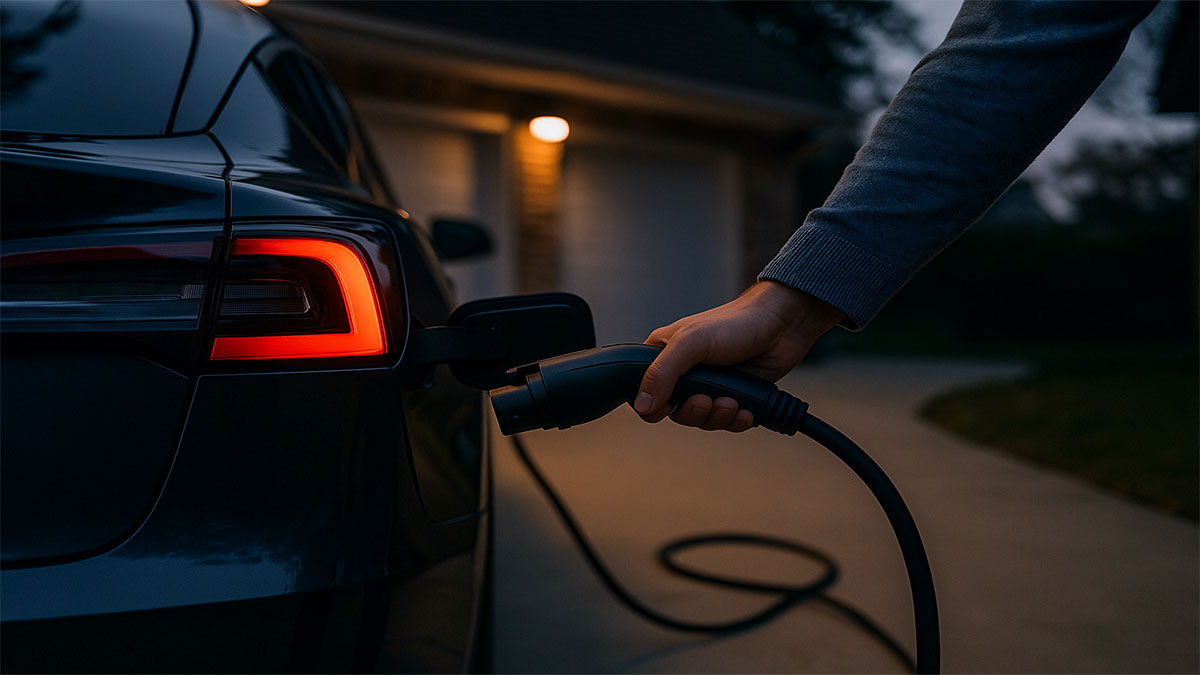
2) Plug the connector until it clicks.
3) Start the session with app, RFID, or contactless.
4) Confirm charging on the unit and in your car.
5) Watch progress; charge rate usually slows at higher state of charge.
6) Stop the session, unplug, re-dock the handle, and move the car.
While charging: speed, taper, and when to leave
Charging is fastest at low state of charge. As the battery fills, current tapers. On trips, aim for the energy to reach your next stop with a buffer, not 100%. Watch for time limits and idle fees when charging ends.
How long does a public charge usually take?
It depends on arrival SOC, charger power, and your car’s intake curve. Use the table below as a rough guide and keep a buffer.
Time expectations
Goal
Charger power
Typical minutes*
Add ~25 kWh on Level 2
7 kW
~210–230 min
Add ~25 kWh on Level 2
11 kW
~130–150 min
Add ~25 kWh on DC fast
50 kW
~30–40 min
Add ~25 kWh on high-power DC
150 kW+
~12–20 min
*Actual times vary with battery size, temperature, arrival SOC, and load sharing.
End the session and be courteous
Stop in the app or on the unit. Unplug, re-dock the handle, tidy the cable, and move. Keep sessions short when others are waiting. Follow posted limits to avoid idle fees.
What’s the proper etiquette at public chargers?
Don’t block bays once you’re done. Re-dock the connector. If there’s a queue, take only the energy you need and free the stall.
Quick fixes that work
If payment fails, try another method or another stall. If charging won’t start, seat the connector firmly and check app alerts. If the port or handle won’t release, end the session, use the vehicle’s charge-port unlock, wait a few seconds, then pull straight. If the unit faults, note the station ID and call support.
What should I do if the connector is stuck and won’t release?
End the session, try the vehicle’s unlock, wait for the latch to cycle, then pull straight. If it’s still locked, call the support number on the unit.
What changes by region
North America: Public AC uses J1772; DC fast is CCS with growing J3400 access. Many new sites let non-Tesla cars use designated J3400 stalls.
UK/EU: Many AC posts are socketed Type 2; bring your own cable. DC fast is CCS2. Contactless pay is common on newer sites.
APAC: Standards vary by market. Check your route and carry the right cable/adapter where allowed.
Can non-Tesla drivers use Tesla Superchargers now?
In many regions, yes, at eligible sites and stalls. Eligibility and adapters vary by vehicle and location. Check the network or vehicle app for eligibility before you plan around it; if an adapter is needed, confirm model support and power limits.
Pocket checklist
• App installed and payment set
• Correct connector or adapter packed
• Type 2 cable (if your region uses socketed AC posts)
• Plan A and Plan B chargers saved
• Arrive low, leave with a buffer, avoid idle fees
If you’re comparing handle styles or cable ergonomics before a fleet rollout, see EV connector options from Workersbee to understand what operators deploy.
For homes and depots that need a flexible backup, portable EV chargers from Workersbee can bridge slow AC posts or temporary sites on travel days.
Read More

 Type 1 vs Type 2 EV Charging Connectors: Key Differences and Regional Use


 Contact Us


 English


 IPv6 network supported